
FAQ & Information
Find answers to common questions, view our plans, and read our policies.
Frequently Asked Questions
The Brinno Content Platform is a web application dedicated to transforming media data into actionable decisions through AI-assisted solutions. It allows users to import, manage, and analyze images and videos from Brinno cameras.
Create an account with the platform first. Then connect your Brinno cameras, upload media, and start using AI-powered detection and analysis features.
The platform supports Brinno TLC300, TLC2000 and TLC5000 time-lapse cameras. You can upload content manually or connect cameras for automated capture and sync.
Our AI engine automatically detects objects, people, and events in your media. Results are generated as reports and visual overlays. You can run analysis on-demand or schedule automated jobs.
When it happens, you can take the following steps to stop and then restart the analysis.
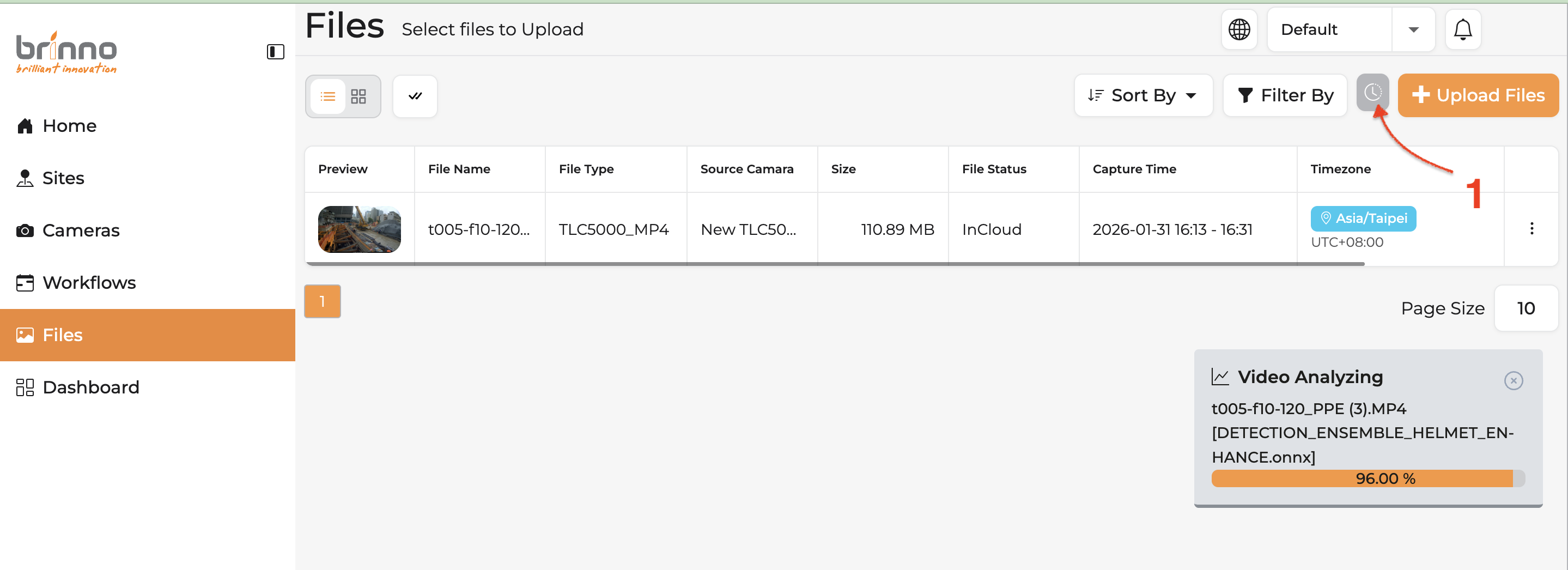
Step 1:Enter [Files]. Click on the [Analytics Jobs History] button, which is between “Filter By” and “+ Upload Files”
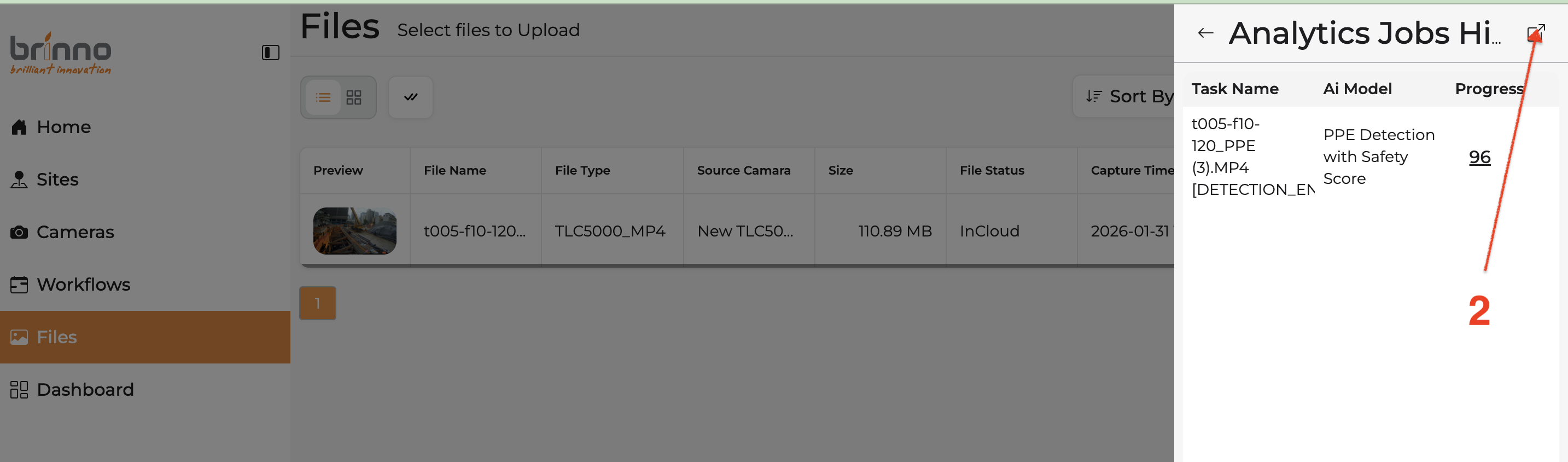
Step 2:Click the top right corner button to enter
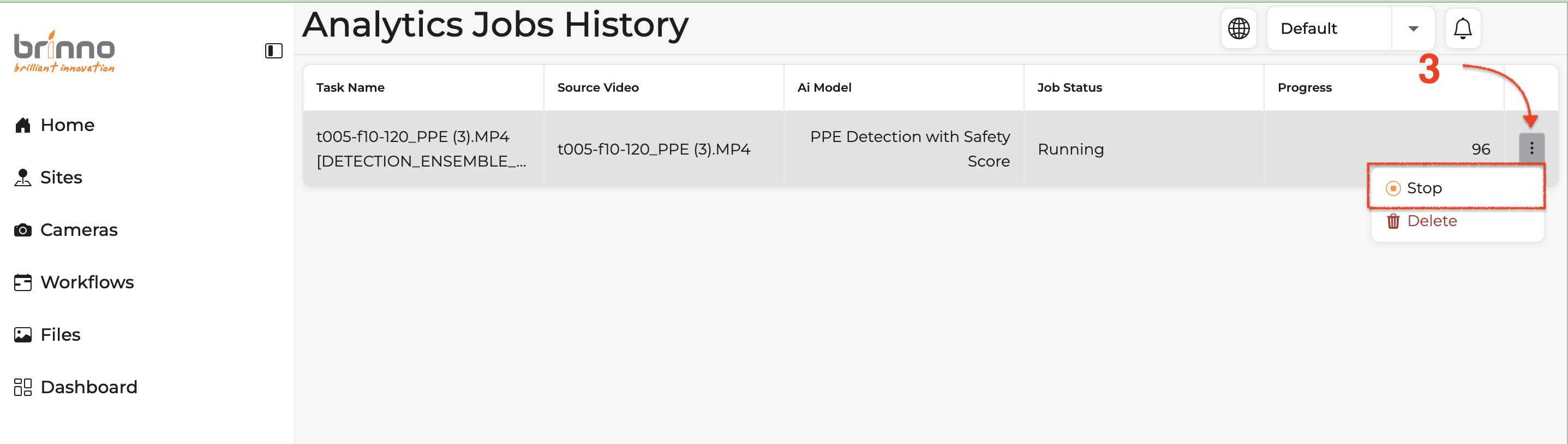
Step 3:On the [Analytics Jobs History] page, click the three-dot Kebab menu and then choose [Stop]
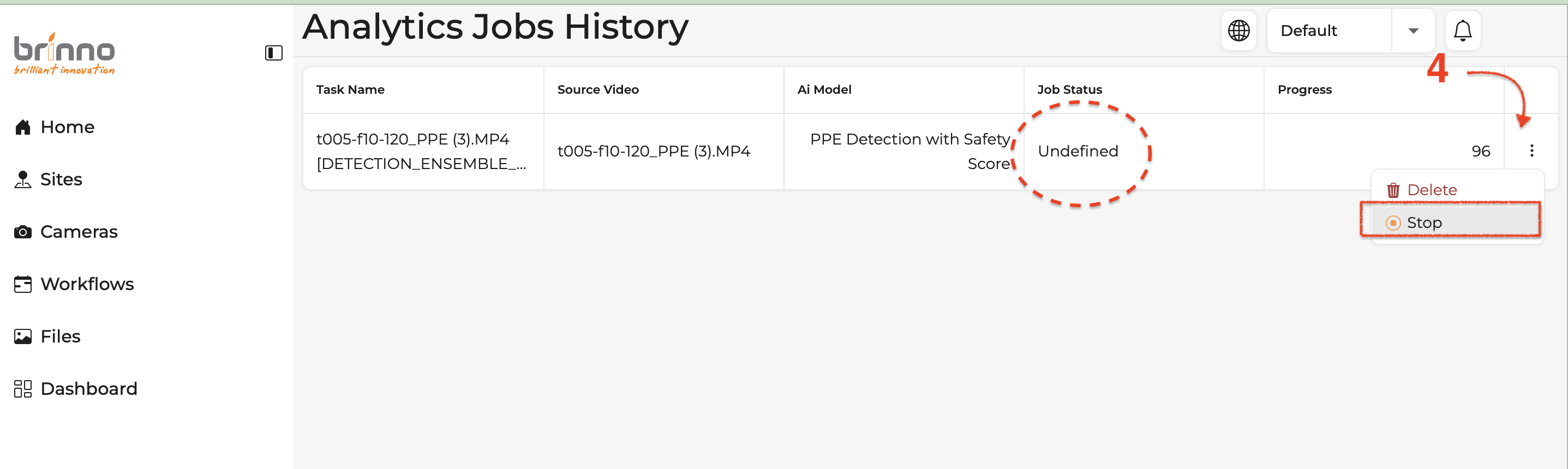
Step 4:The Job Status is changed to “undefined”. Click the three-dot Kebab menu and then choose [Stop] again
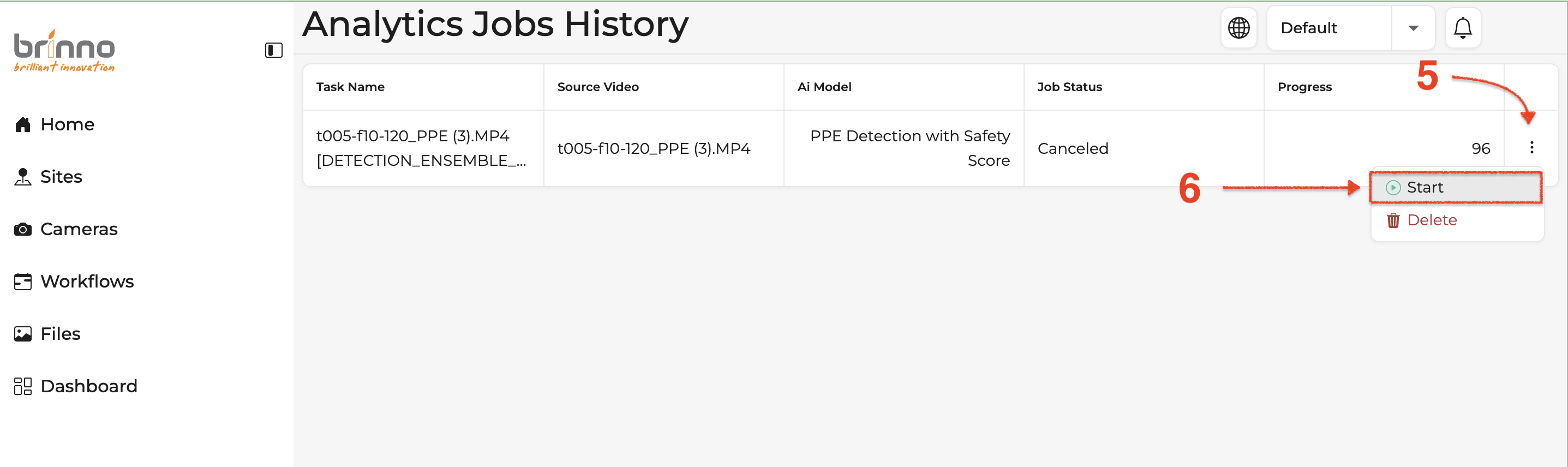
Steps 5 and 6:Now the Job Status is changed to “Canceled”. Once again click the three-dot Kebab menu and click [Start] to re-run the analysis.
You can cancel or change your subscription at any time through your account settings. Downgrades take effect at the start of your next billing cycle. See our
Refund Policy
.
You can click "Contact Us" to reach us.
Policies
© Brinno Incorporated. All rights reserved.